
AutoTree isn’t actually a standalone tool, so technically, this post is the sequel to my AutoCluster post (1). AutoTree searches the GEDcoms of your matches to see if it can find an MRCA for each cluster. Check off the AutoTree box to get AutoTree results when using the AutoCluster tool.
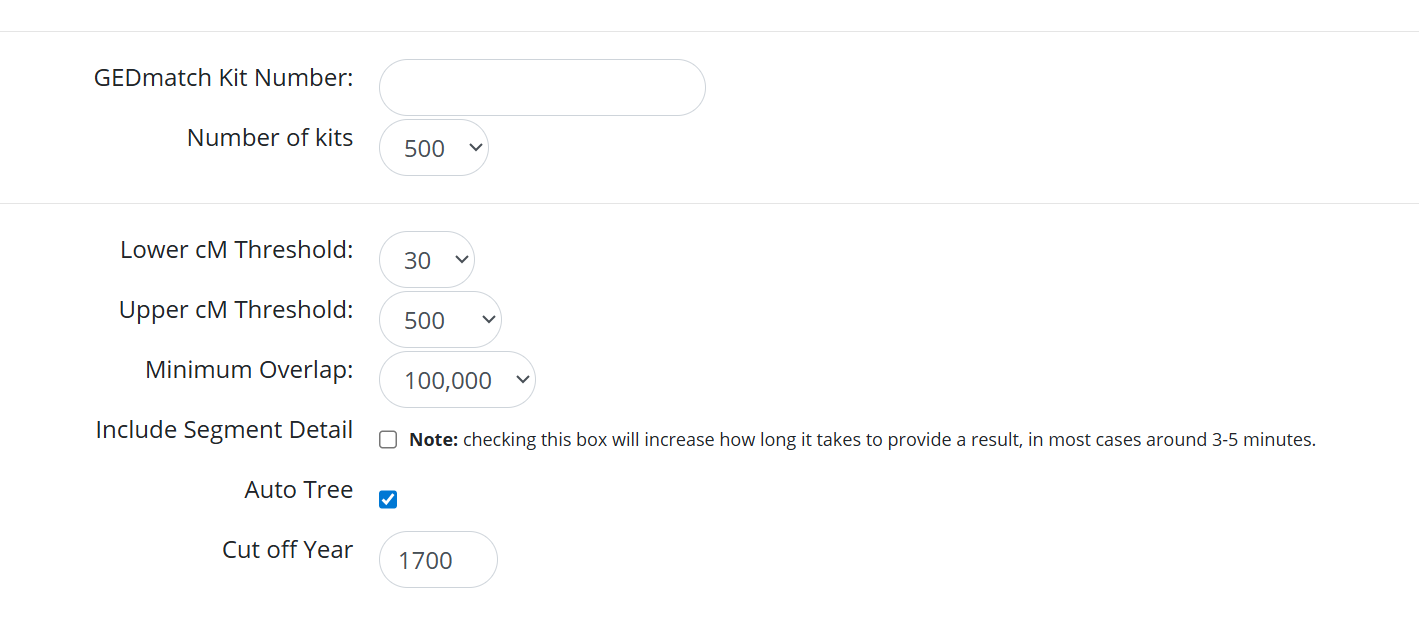
Once you get your results, you will see some new tabs that you didn’t have before. The second tab, AutoTree AutoCluster Analysis, is where you want to look.

Once in that tab, you’ll see a table with each cluster.
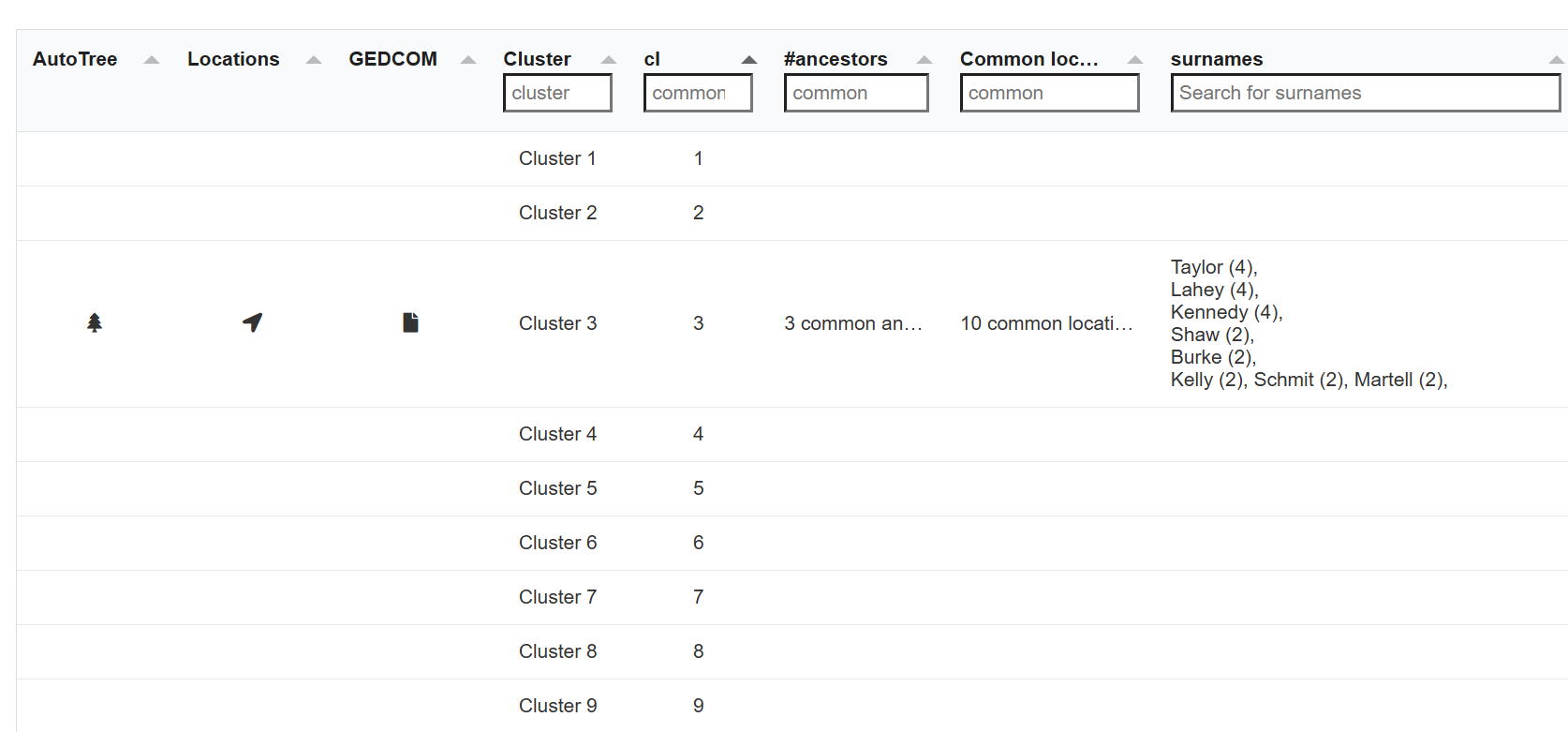
If there are symbols in AutoTree and Locations column, clicking them will open up a tree and a table of locations. If you click the symbol in the GEDCOM column, it will download a GEDcom file that you could upload anywhere that accepts them. Each cluster will have it’s own AutoTree if there were enough GEDcoms to compare. As you can see from this example, only one cluster successfully created AutoTrees. Cluster 3 has 3 common ancestors, based on the GEDcoms, 10 common locations, and a bunch of surnames that are common.
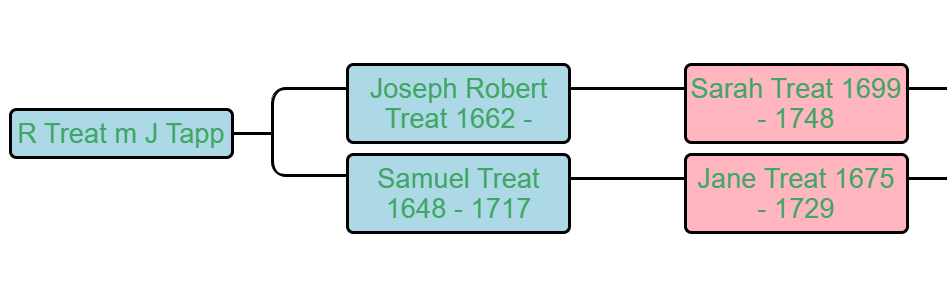
Here’s an example of one of the MRCAs found for this cluster. The only thing is, because I happen to know how this match is related to the kit I used for the AutoClusters, I know that the ancestor they have in common is not on the line shown. This is a good example to show that while AutoTree can find common ancestors for matches, it can’t guarantee that the ancestor those matches have in common is the same ancestor the kit shares with them. Further, it takes the trees that have been uploaded at face value, which means if the tree has errors, it may find connections where none exist.
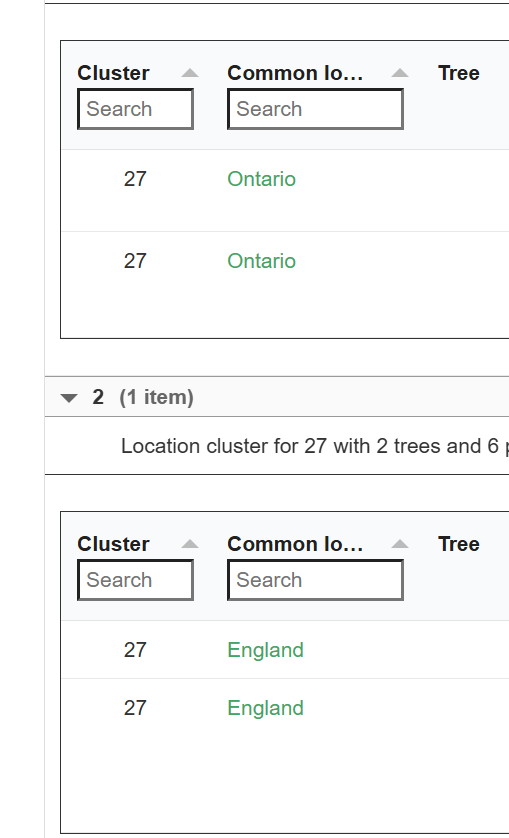
The same can be said of the locations. Not only is this not a location that this kit has in their tree, the location itself is very broad.
This is not to say that AutoTree is not useful, since valuable hints are possible. I did not find any in the kits that I manage, but one of the kits didn’t even have any AutoTrees due to a lack of GEDcoms, and two of them were so endogamous GEDmatch didn’t even know what to do with them.
As long as you take the suggestions it gives as hints, not gospel, you won’t waste any more time that you usually would on a false connection. If you had matches in a cluster that had GEDcoms, you would have probably searched them manually and discovered the common ancestors and locations, before eventually realizing that they were red herrings. At least this tool saves you the time it takes to manually go through the GEDcoms!
- Jennifer Wiebe, “Clustering at GEDmatch,” Jennealogie, 8 Nov 2025 (https://jennealogie.com/2025/11/08/clustering-at-gedmatch/).
- Jennifer Wiebe, AutoCluster with Auto Tree selected, 27 Nov 2025, author’s files.
- Jennifer Wiebe, AutoTree table, 27 Nov 2025, author’s files.
- Jennifer Wiebe, AutoTree MRCA, 27 Nov 2025, author’s files.
- Jennifer Wiebe, AutoTree common location, 27 Nov 2025, author’s files.


 Jennealogie
Leave a reply to maltsoda Cancel reply