
One of my problems with genealogy is that there is never enough time for it. If I wait until I have big blocks of time to devote to it, I will be waiting a long time. I can, however, spare small blocks of time here and there. This requires a lot more organization though, because I need to know exactly what I’ve done and what the next small step is. Without enough organization, I’m just doing random searches instead of actually researching.
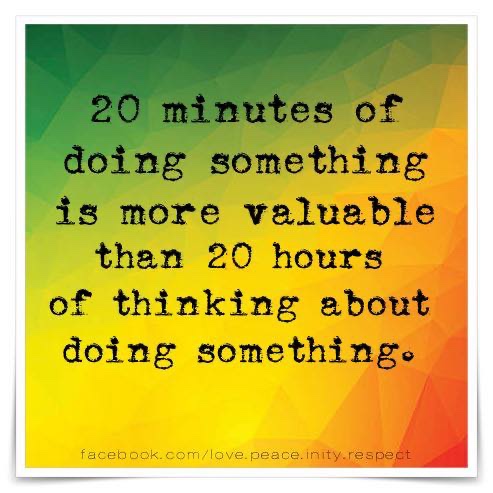
This is my second foray into becoming more organized with my genealogy. When I reviewed the book Organize Your Genealogy I talked about OneNote (2). I started to get my stuff organized…and then it fizzled out.
As I mentioned in I went to GRIP! (3) I learned about a new tool to help organize your genealogy. It’s called Airtable (4). Airtable is like a spreadsheet on steroids. If you like using spreadsheets, you will probably love Airtable.
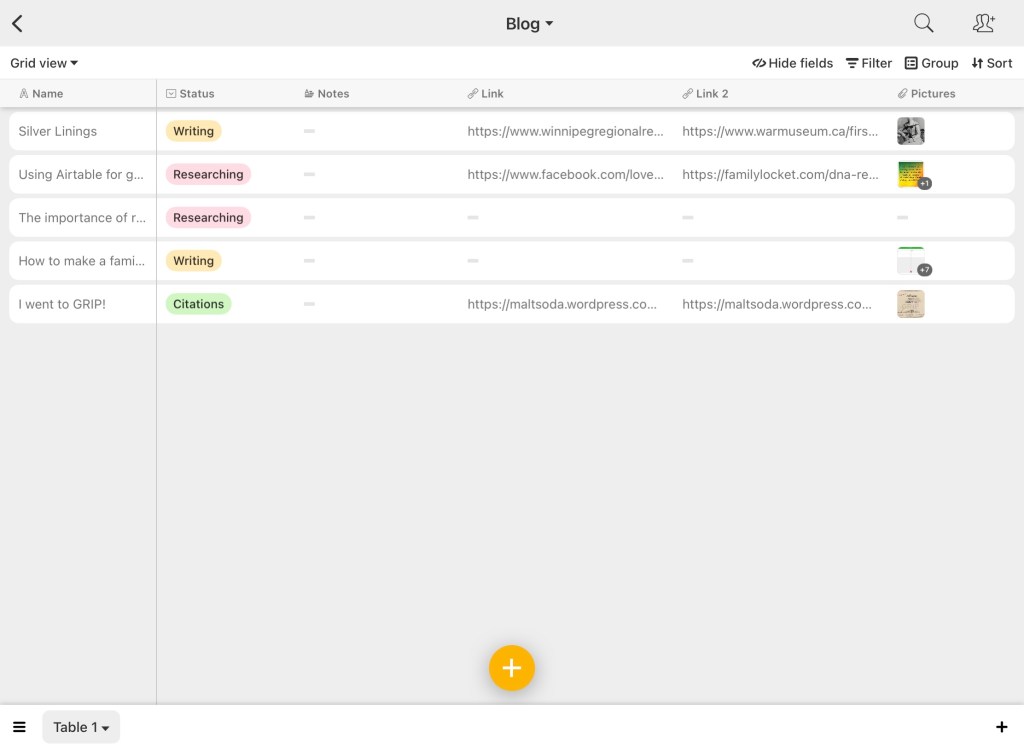
I plan to write more about the specifics of using Airtable at another time, but as you can see from this screenshot, it has a very similar layout to a spreadsheet, with rows, columns, and different sheets (although here they’re called records, fields, and tables). The advantage over a regular spreadsheet is that each field (column) has different uses beyond text. For example, in my screenshot, the status field is a customizable field that allows you to pick one option.
So far I have found Airtable to be very valuable keeping track of my blog posts. Knowing where I am in the process of creating a post is helpful because I may not have a block of time to sit down and turn an idea into a fully completed post with citations. Now I can work at my leisure, and know what needs to be done next to get the post closer to finished.
If you want to start using Airtable for genealogy, but it seems a little bit daunting to start from scratch, Family Locket has created some research log templates (6) that are sure to help you get organized.
Will I continue to use Airtable for genealogy organization, or will it also fizzle out like using OneNote? It’s been really helpful so far for blogging, so I’m definitely going to keep using it for that. Since I also need citations for my blog, I’ve moved some of my citations over from OneNote into Airtable. It feels leaner, if that makes sense? Much easier to see at a glance where I am and where I’m going. I also find that spreadsheets make it much easier to keep organized, since there’s a place for everything, and everything in its place.
Like any tool, the advantage you get from it comes only when you use it. One of the things I’ve noticed while using the research log is that it’s not enough to know where I’ve been and we’re I’m going, but that I need to be more aware of where I am in the present. I’m sure I’m not the only one who begins to research a particular topic and ends up down a rabbit hole that has nothing to do with what I initially started out researching. I’m hoping that by making better use of research logs, I can be more mindful of the pull of bright shiny objects and stick to my initial research objectives.
1) Rastafari Movement, “20 minutes of doing something…” Facebook (https://www.facebook.com/love.peace.inity.respect/photos/a.342640612820956/1130496144035395/ : accessed 3 Aug 2021).
2) Jennifer Wiebe, “Book Review: Organize Your Genealogy” Jennealogie (https://maltsoda.wordpress.com/2019/08/08/book-review-organize-your-genealogy/ : accessed 3 Aug 2021).
3) Jennifer Wiebe, “I went to GRIP!” Jennealogie (https://maltsoda.wordpress.com/2021/07/23/i-went-to-grip/: accessed 3 Aug 2021).
4) Airtable (https://airtable.com/ : accessed 3 Aug 2021).
5) Jennifer Wiebe, screenshot of Airtable, July 2021, author’s files.
6) Nicole Dyer, “Airtable Research Logs,” Family Locket (https://familylocket.com/airtable-research-logs/ : accessed 3 Aug 2021).


 Jennealogie
Leave a reply to maltsoda Cancel reply