
Ancestry doesn’t have a chromosome browser and I think it’s part of their success. Their idea is to break down genealogy into something easily digestible that the majority of the population can enjoy -no special skills needed.
What happens when someone leaves the protective world of Ancestry and sits at the table with people who have long since left that world (if they were ever in it to begin with) is a lot of confusion. Today I’ve seen multiple questions about chromosome browsers so I thought I’d take a stab at some chromosome browser basics.
First of all, what is a chromosome browser? This is a visual representation of all your chromosomes, of which you have 22 pairs, plus one that is usually included even though it is slightly different. Here it is referred to as x, but it is also called the 23rd chromosome. This particular chromosome browser is from FamilyTreeDNA.
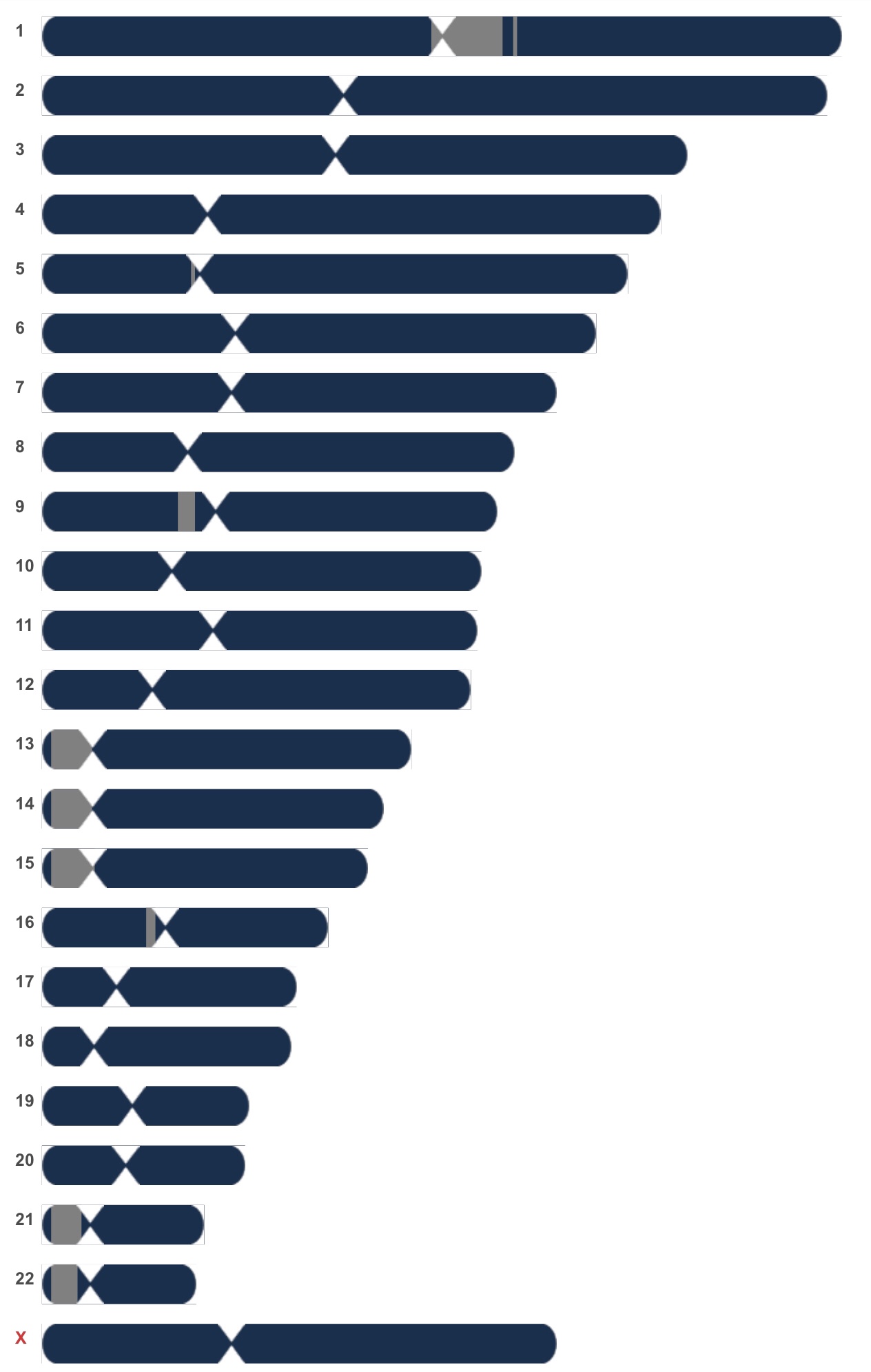
I think chromosomes are kind of cute. I love the visual representation of the “pinch” -also known as the centromere, illustrated below where the red dot is (image from Wikipedia).
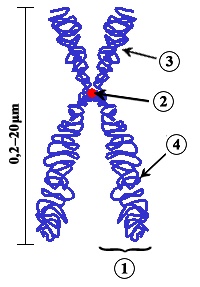
I’m telling you about the centromere not only because it’s fun to know big words that impress people, but because I’ve seen the question more than once regarding Gedmatch’s chromosome browser (if you don’t know what Gedmatch is here’s a post I wrote about why it’s so useful).

See that vertical pink line right around 123M? That’s how Gedmatch visually represents the centromere. The centromere doesn’t change anything or require you to take anything into account when looking at the chromosome browser, but it’s good to know what it is since it’s being visually represented.
Depending on which company’s browser you are looking at, you will either have to select matches to view on the browser (FTDNA or Gedmatch) or it will automatically appear when you are reviewing a match (23&me or MyHeritage). If you and someone else share DNA, you are related in some way. But how?
The most common question asked is, “how do I know which matches are on my father’s side and which are on my mother’s side?” It’s very important to remember that you have a pair of each chromosome: one you received from your mother, one you received from your father. If you go and look at the picture of the chromosome browser, you are unable to see the pair. That’s because it is unable to distinguish between your maternal and paternal chromosome, so it mashes them up into one. So the short answer is, you can’t tell just by looking at a match on the chromosome browser which side of your family the match is on.
Can you figure out which side of your family a match is on? Yes, I you have another match you can compare it to. For example, if I have an unknown match who is also a match with my great-aunt, SR, then I know that the unknown match must be in the branch of my family tree that I share with SR. If you are coming at this with absolutely no knowledge of your paternal and maternal sides (ie in the case of adoption), you might be able to figure out groups of matches but have no way to assign them to a side. And woe to you if your father and mother come from the same, close-knit ethnic population! We sometimes forget that there are not two but three answers to the “which side” question: father, mother or both.
So what is the use of a chromosome browser? If you and at least two other matches share DNA in the same spot on the same chromosome, that means everyone that matches in that spot share a common ancestor. The group can now work together to see if they can figure out who that ancestor is. Keep in mind that in order for this to work, all three people have to be related to each other (person A has to be related to person B and person C, and person B also has to be related to person C). This is called triangulation. MyHeritage has a nice feature: when you are reviewing a DNA match, you can see a special symbol next to some of your shared DNA matches (circled in red, below). This means that the three of you triangulate.

If you understood all that and you’re interested in learning about how to (imperfectly) do triangulation at FTDNA and how to do it (perfectly) at Gedmatch, you can read my post about that here. If you’re still feeling uncertain about working with your DNA, I’ve got a lot of basics skills posts for you to read; check them out here.

 Jennealogie
Leave a reply to AutoSegment at GEDmatch – Jennealogie Cancel reply