
In my last post I talked about citation basics. I had more to say but it was already getting to be a long post so I’m going to put the rest here.
The first thing I want to talk about is waypoints. Back in the day, URLs were not stable. Here today, gone tomorrow. Incidentally, that’s why we put the date we viewed the document, so someone can have an idea of how likely it is that the website still exists. Theoretically, if it’s no longer around, they could use the Wayback Machine at Archive.org to see if a copy of it was archived. So if you wanted to tell someone, “this is how you’ll find the webpage I’m talking about,” but the webpage got reorganized every once and awhile, and the URL would change, you could use waypoints to tell you how to find it.
A perfect example of waypoints in the US WWII Draft Card database on Ancestry. While the URL to a record is probably pretty stable, the URL actually takes you to the transcribed entry for the record, not the record itself.
Here’s a picture of my screen as I’m looking at a particular draft card:
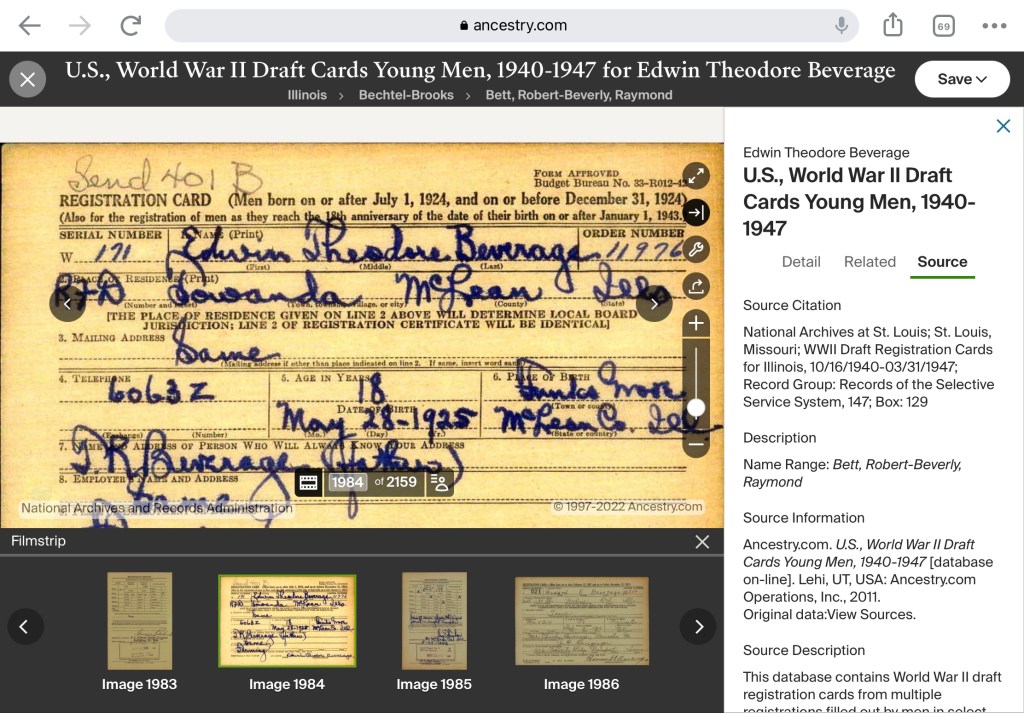
The title of the database is at the top, right before the name of the person on the draft card, and underneath are all the waypoints, separated by the greater than symbol (>), which explain how to get to this particular record. My citation, therefore, will look like:
“U.S., World War II Draft Registration Cards Young Men, 1940-1947,” images, Ancestry (https://www.ancestry.com/search/collections/2238/ : accessed 18 July 2022) > Illinois > Bechtel-Brooks > Bett, Robert-Beverly, Raymond > images 1984-5 of 2159; card for Edwin Theodore Beverage, serial no. W171, Local Draft Board 1, Bloomington, McLean County, IL; citing the National Archives at St. Louis, record group 147.
I start with the title of the database, in quotation marks, and specify that I’m looking at images, followed by the title of the website in italics. The waypoints come after the URL and access date. The URL will take me to the collection, not the specific draft card. If you want to know what the URL for the collection is, click on the title of the database, which will take you to the main page of the collection. Note that the draft card has two sides, so the page number of the two images are given along with the total number of images. Also note that after all of the waypoints and images, I give information about the specific draft card that might allow me to find the physical copy of this particular draft card if I was so inclined.
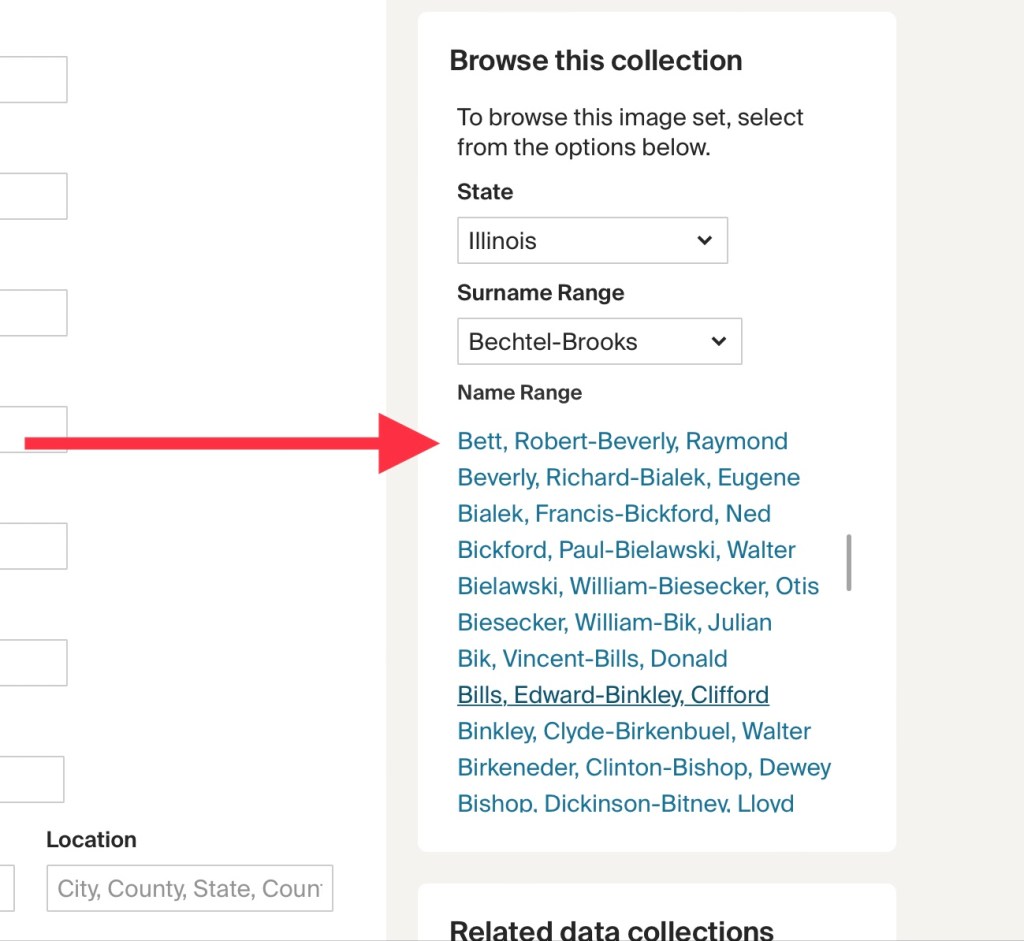
If I went to the specific page for the collection, I could now access the specific draft cards following the instructions the waypoints give. If you scroll down, on the right side you’ll see “Browse this collection.”
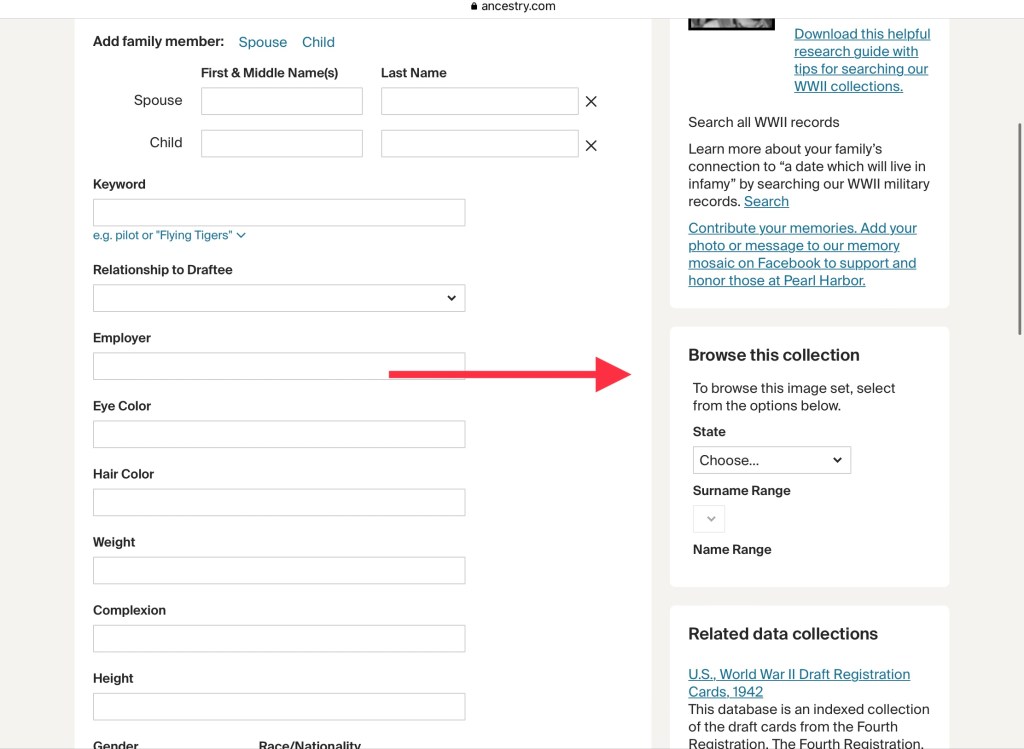
Our first waypoint tells us the state is Illinois:
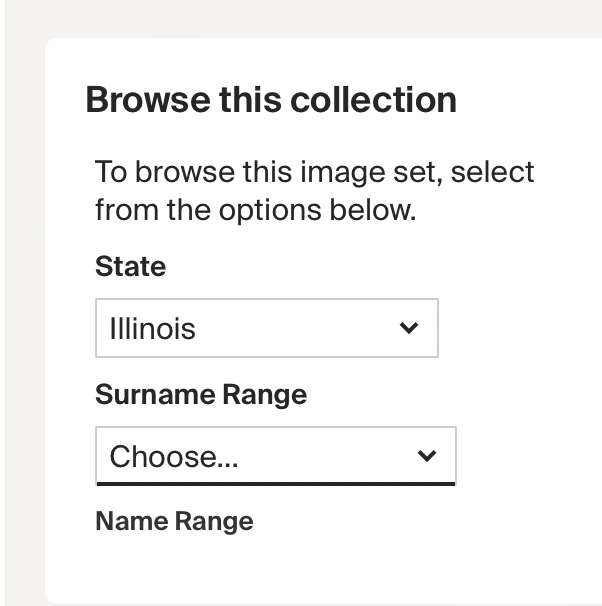
Our second waypoint tells us our surname range is “Bechtel-Brooks”
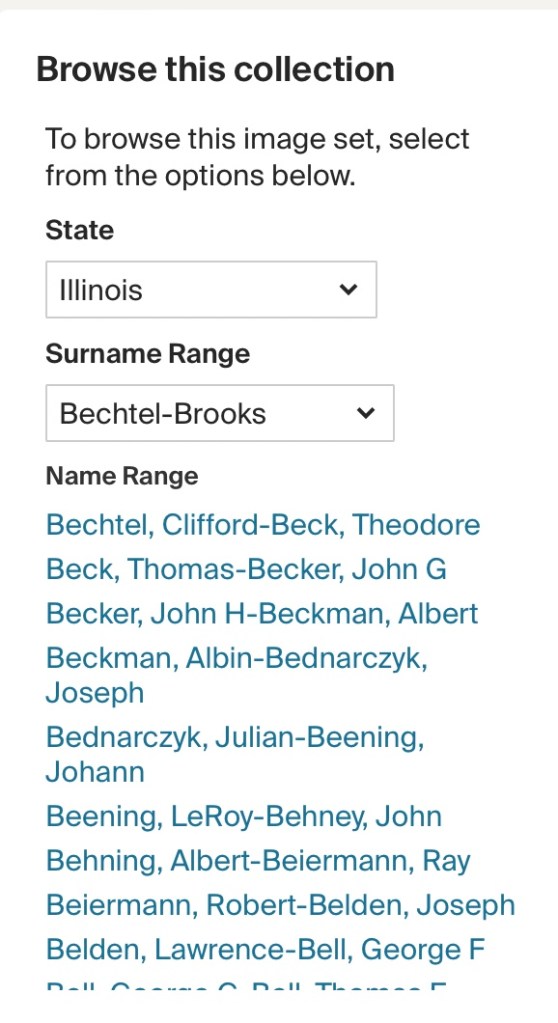
Our third waypoint tells us the name range is “Bett, Robert-Beverly, Raymond.” This requires a bit of scrolling:
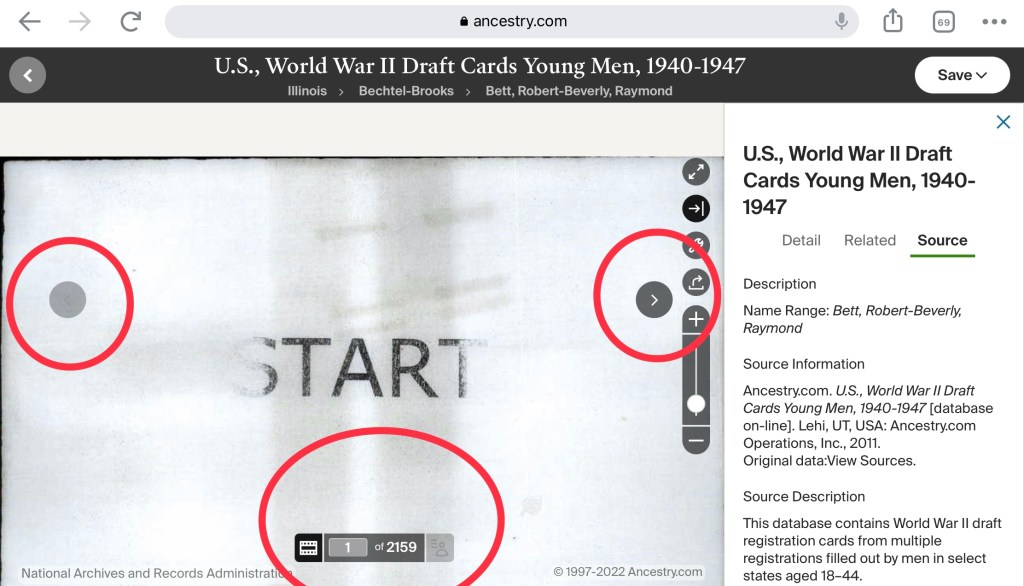
Once I click on the second name range, it takes me to the beginning of the collection. I now need images 1984-5. I can scroll back and forth through the images using the arrows on the sides (and when looking at an image you should scroll back and forth, as some documents cover more than one page). You can also input the number of the image you want to jump to in the space at the bottom.
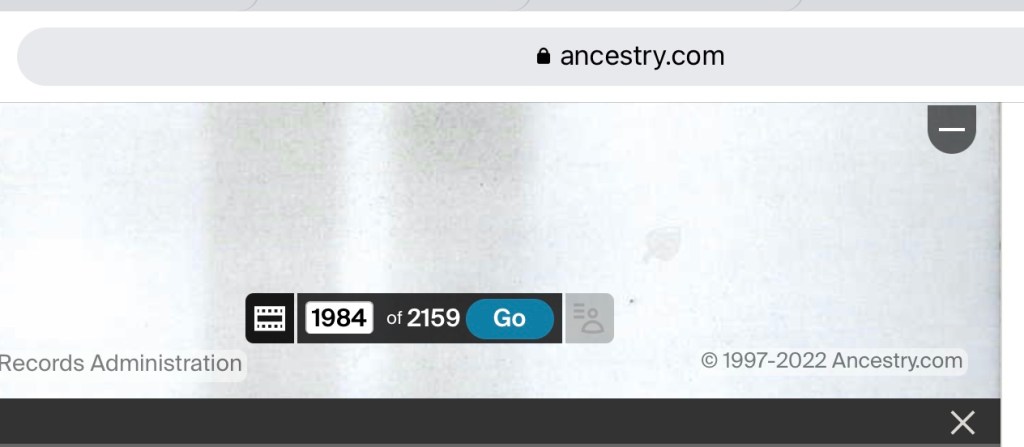
Input your page number and hit go, and you’re good to go!
Finally, I want to point out the difference between two citations I’ve used to explain citations.
“U.S., World War II Draft Registration Cards Young Men, 1940-1947,” images, Ancestry (https://www.ancestry.com/search/collections/2238/ : accessed 18 July 2022) > Illinois > Bechtel-Brooks > Bett, Robert-Beverly, Raymond > images 1984-5 of 2159; card for Edwin Theodore Beverage, serial no. 11967, Local Draft Board 1, Bloomington, McLean County, IL; citing the National Archives at St. Louis, record group 147.
McLean County, Illinois, marriage record, page 178, license 12214, William Beverage and Myrtle McCracken, 23 Dec 1896; image, “Illinois, County Marriages, 1810-1940,” FamilySearch, (https://familysearch.org/ark:/61903/3:1:3QS7-L924-RDQ8?cc=1803970 : accessed 18 July 2022) > image 1 of 1; citing county courthouse, Bloomington, Illinois.
The first citation has as its first layer the website I viewed it on, followed by the information about the specific card layer and then the “source of the source” layer. Remember that we can see the different layers as they are separated by a semi-colon. The second citation has the original source layer, the website I viewed it on layer, and the “source of the source” layer. So the first citation starts with the database and then adds details about the card, while the second citation starts with the details about the marriage/couple before starting a second layer with the database.
It’s confusing, I know. We talk all the time about citations being an art more than a science, but sometimes it’s nice to have hard and fast rules. Decision fatigue in creating a citation is real! A friend told me her thought process is that if you can go to the place and pick up the physical book and look for your record, you start by citing the book and the details in it. In the case of the cards, passenger lists, naturalization records, etc. you don’t have a physical book but folders in boxes and since we know nothing about the organization of these boxes and folders, we can’t cite them as part of our citations. All we can do is cite how the website has organized it, and so we start with the name of the database, followed by the specific information on the document we are looking at. Both end with the “source of the source.”
I hope this second foray into creating citations was helpful!
 Jennealogie
Leave a comment